Where to find it
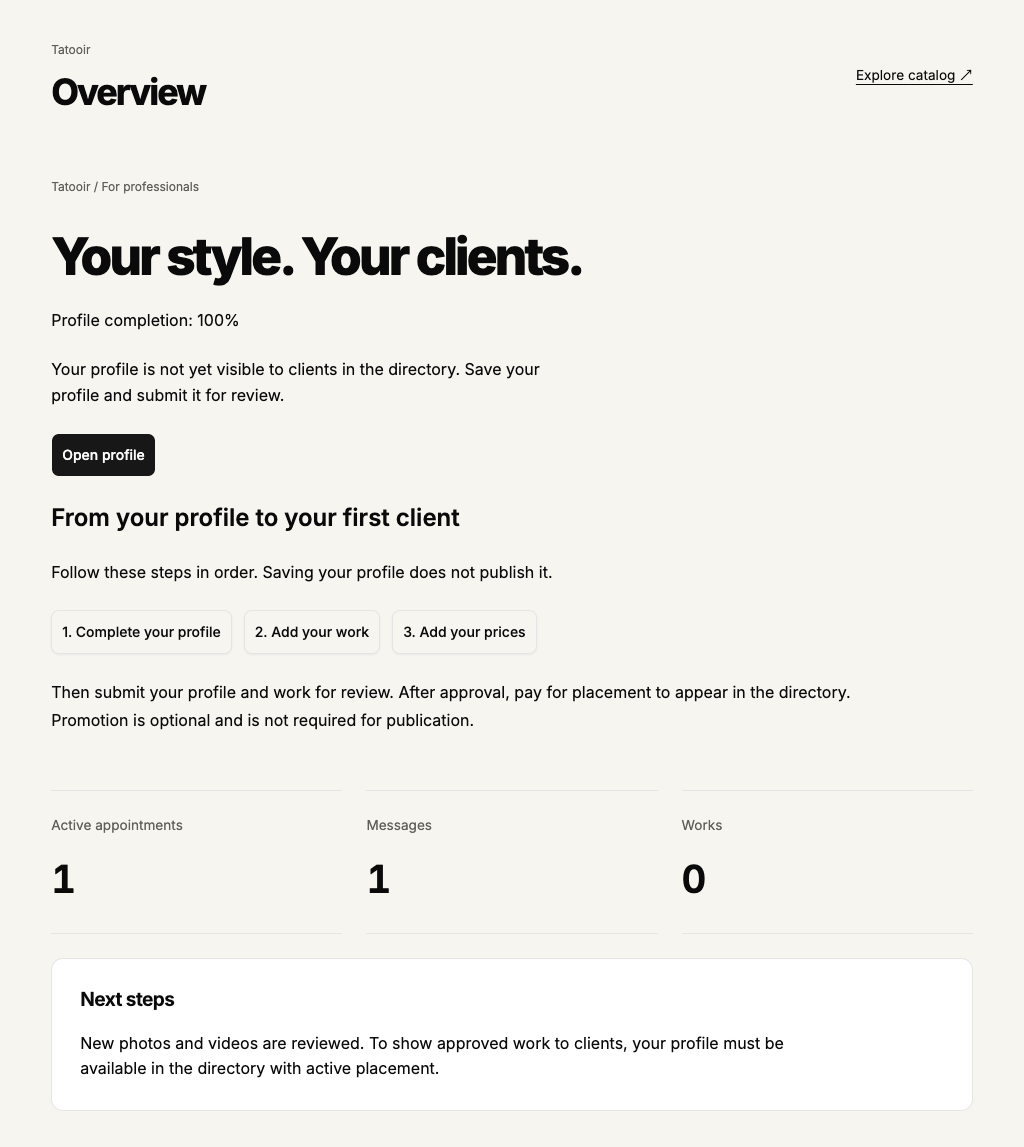
Artist or Studio account → Overview. The browser has the first three setup actions; in the app, prices are inside the profile.
Step by step
- Register as an artist or studio and sign in. Open Overview, then 1. Complete your profile in the browser or Public profile in the app. Enter your details and save.
- In the browser select 2. Add your work, then 3. Add your prices. In the app add work in Portfolio and prices below Public profile. You do not need to pay before preparing your profile, work and prices.
- In the profile select Submit for review. New work is submitted for review when saved. After rejection, read the reason, correct and save your details, then submit again.
- After approval open Profile placement. This is a one-time payment to display the profile in the directory. Check the price and whether payment is available. Additional promotion is optional for publication.
 Enlarge screenshot
 Buttons and fields
- Complete profile / Open profile
- Opens preparation or editing of your public profile.
- 1. Complete your profile / 2. Add your work / 3. Add your prices
- These three browser buttons open the profile, portfolio and price list. In the app use Public profile and Portfolio; prices are below the profile.
- Submit for review
- Submits the saved profile for review. Save edits first.
- Profile placement
- Opens directory placement terms. Time-limited promotion is a separate, optional service.
- Active appointments / Messages / Works
- Overview counters open the corresponding lists. A zero in a new account means no items, not an error.
How to tell it worked
Read the visibility explanation in Overview or your profile. Clients see an approved profile with active placement. Profile completion: 100% means the details are complete; it does not mean the profile is published.
Things to know
- Promotion is not required merely to publish a profile. Payment methods must be connected by the service; when payments are unavailable, checkout is currently closed.
If something goes wrong
My profile is not in the directory even though completion is 100%.
Open Overview and read the explanation beneath the completion percentage. Submit a draft for review; wait for a decision if it is being reviewed; correct the stated reason if rejected. After approval check placement payment. Paying does not restore a hidden or deleted profile.