Where to find it
Your Studio account → Team & studio. A saved studio profile with an address is required first.
Step by step
- First save your studio profile with its address. Ask the artist to create a separate Artist account, save a profile and copy Link for a studio invitation from it.
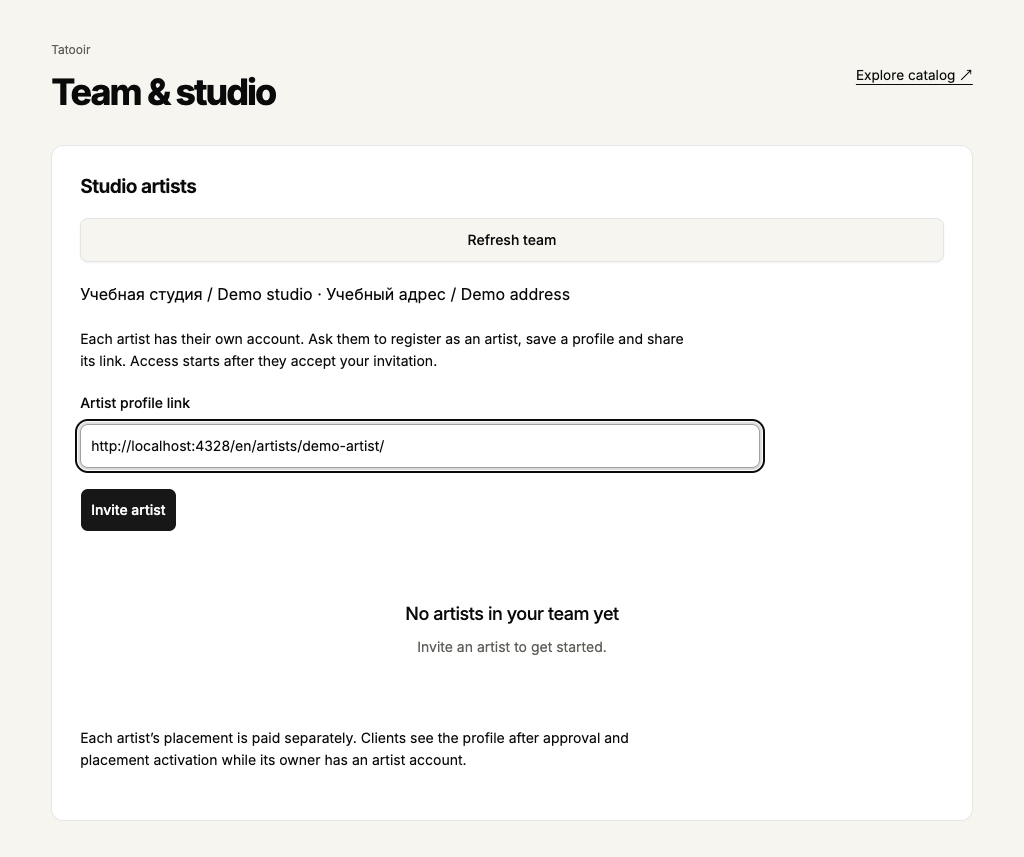
- Open Team & studio. Paste the complete link into Artist profile link and select Invite artist. You do not need the artist’s account password.
- Ask the artist to open Team & studio in their own workspace and select Accept invitation. Then select Refresh team in yours. You cannot edit their data before acceptance.
- Select the artist’s name to open their profile and other sections. To end affiliation, select the artist, fill in Reason for ending the affiliation and select End affiliation.
 Enlarge screenshot
 Buttons and fields
- Artist profile link
- Paste the full link from the artist’s Tatooir profile. A studio page, a work page or another website is not accepted.
- Invite artist / Invite again
- Sends an invitation. Invite again appears after a closed invitation and sends a new one. After an error select Refresh team first: the first invitation may have been saved.
- Revoke invitation
- Cancels an invitation not yet accepted. It does not end an active affiliation, which has a separate action.
- Refresh team
- Reloads artists and invitations. Wait while this list refreshes or another action saves; buttons may be temporarily unavailable.
- Artist name / Close artist
- Select the name to open that artist’s sections. Close artist returns to the team. Check the name before editing to avoid changing another person’s data.
- Reason for ending the affiliation / End affiliation
- Records a reason and ends the current affiliation. It does not delete the artist’s account, profile or work.
How to tell it worked
The team shows artists who accepted. Their approval, active placement and actual client visibility are displayed separately.
Things to know
- Studio placement does not include every team artist’s placement. Each profile is placed separately. Earlier appointments remain jointly managed after leaving; new personal enquiries are no longer visible to the studio.
If something goes wrong
The artist did not appear after inviting them.
Check the invitation state: the artist must accept it in their account. Confirm that the link is their artist profile and the account type is Artist. Clicking again does not replace consent.